UX, Discovery to Delivery, Simplified 32-Windows to 1 in Worldwide Sales Support Web App
8x availability, productivity ↑
Company: Juniper Networks
Project Summary
From research to motion design, I transformed the tool from requiring visual search to providing intelligent assistance, skyrocketing productivity.
Responsibilities
- 5 qualitative research studies
- Product strategy
- Experience Design
- Prototypes
- UX specifications
- Pixel-perfect components with motion design
Timeline & Team
16 weeks from kickoff to release with Product Owner, 6 users, & 4 developers across 10 time zones.
Results
 Immediate 800% system availability. Enhanced search with intelligent assistance. Reduced task times & cognitive load.
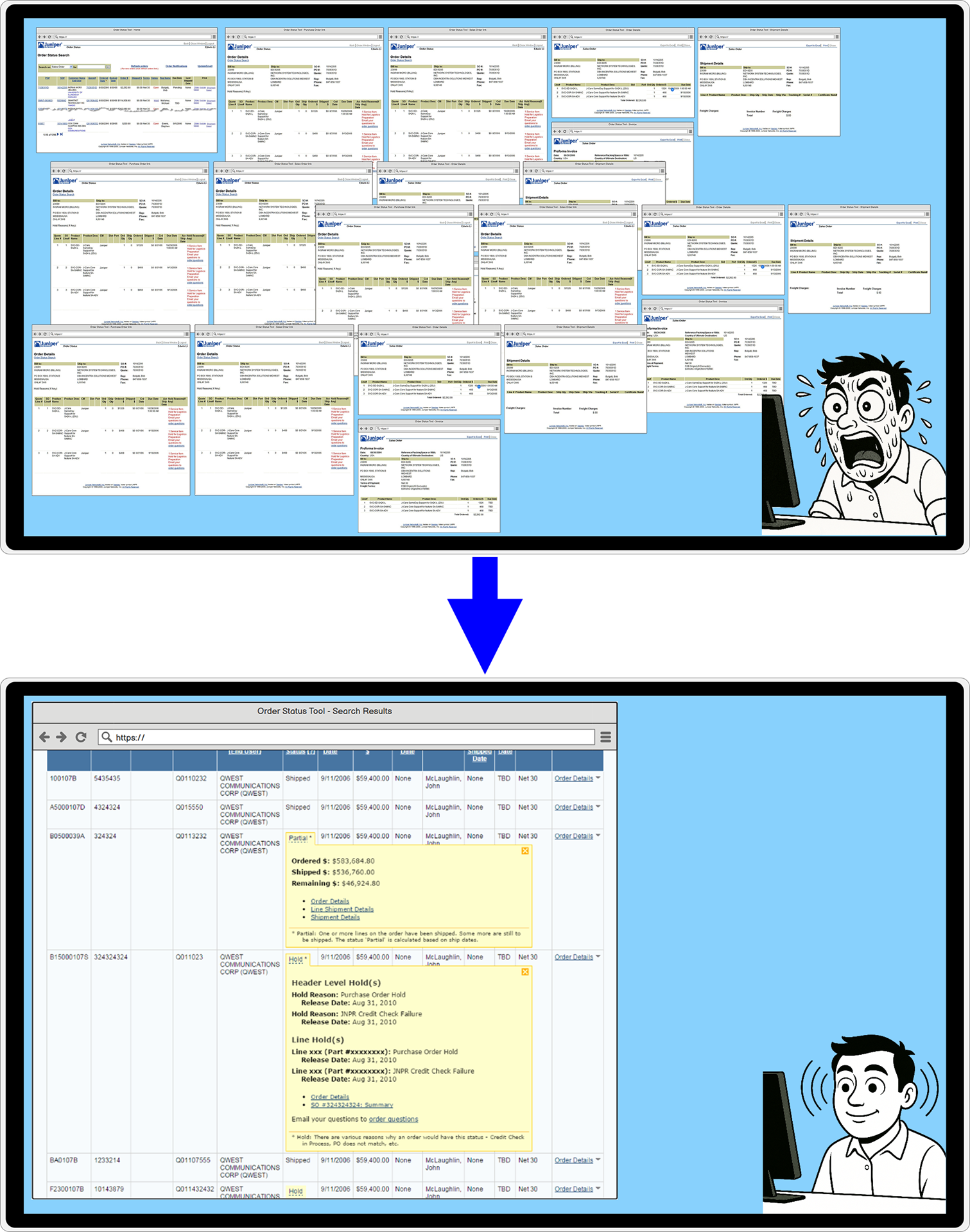
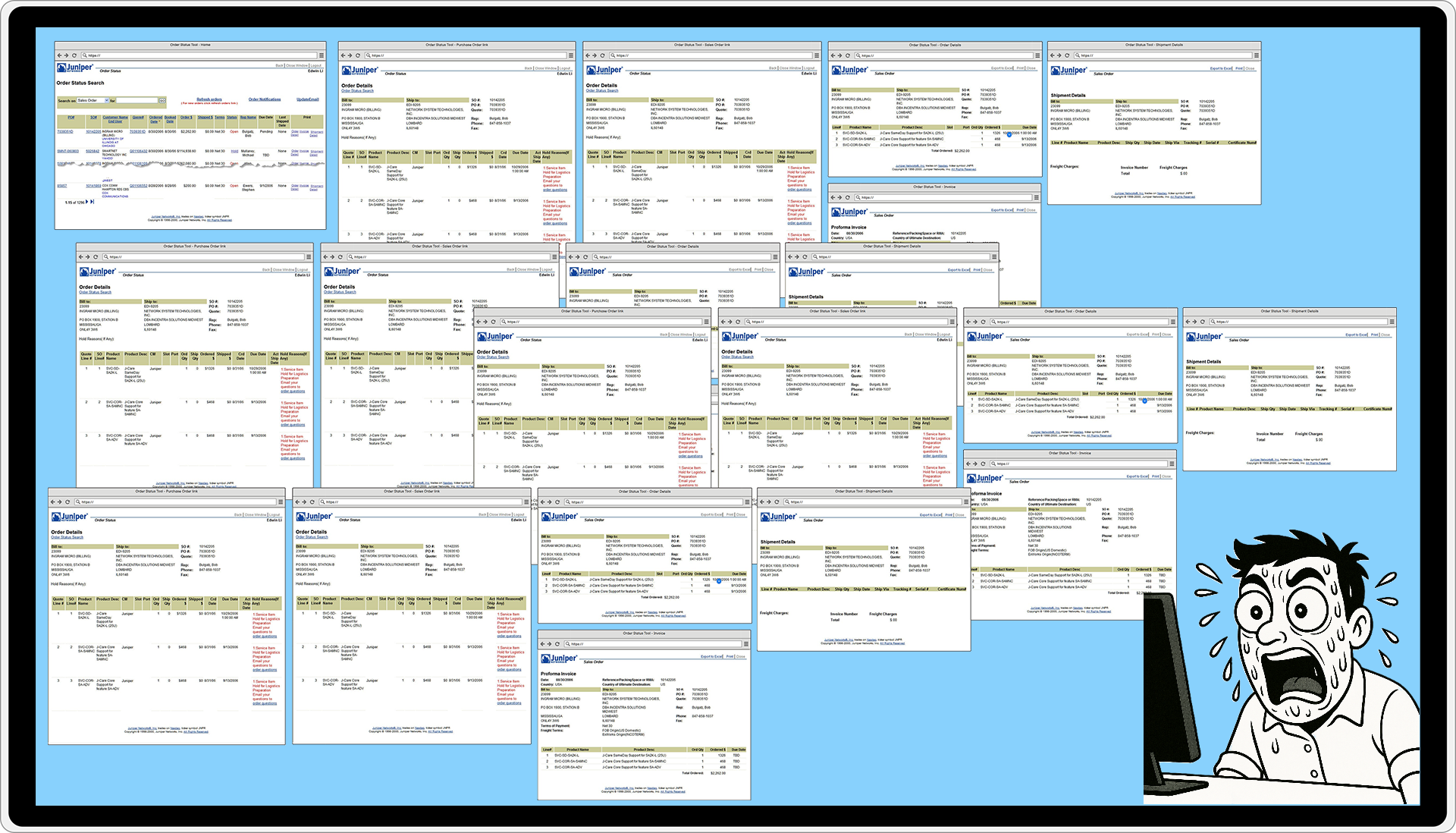
Existing Workflow: Users had to search through up to 32 windows
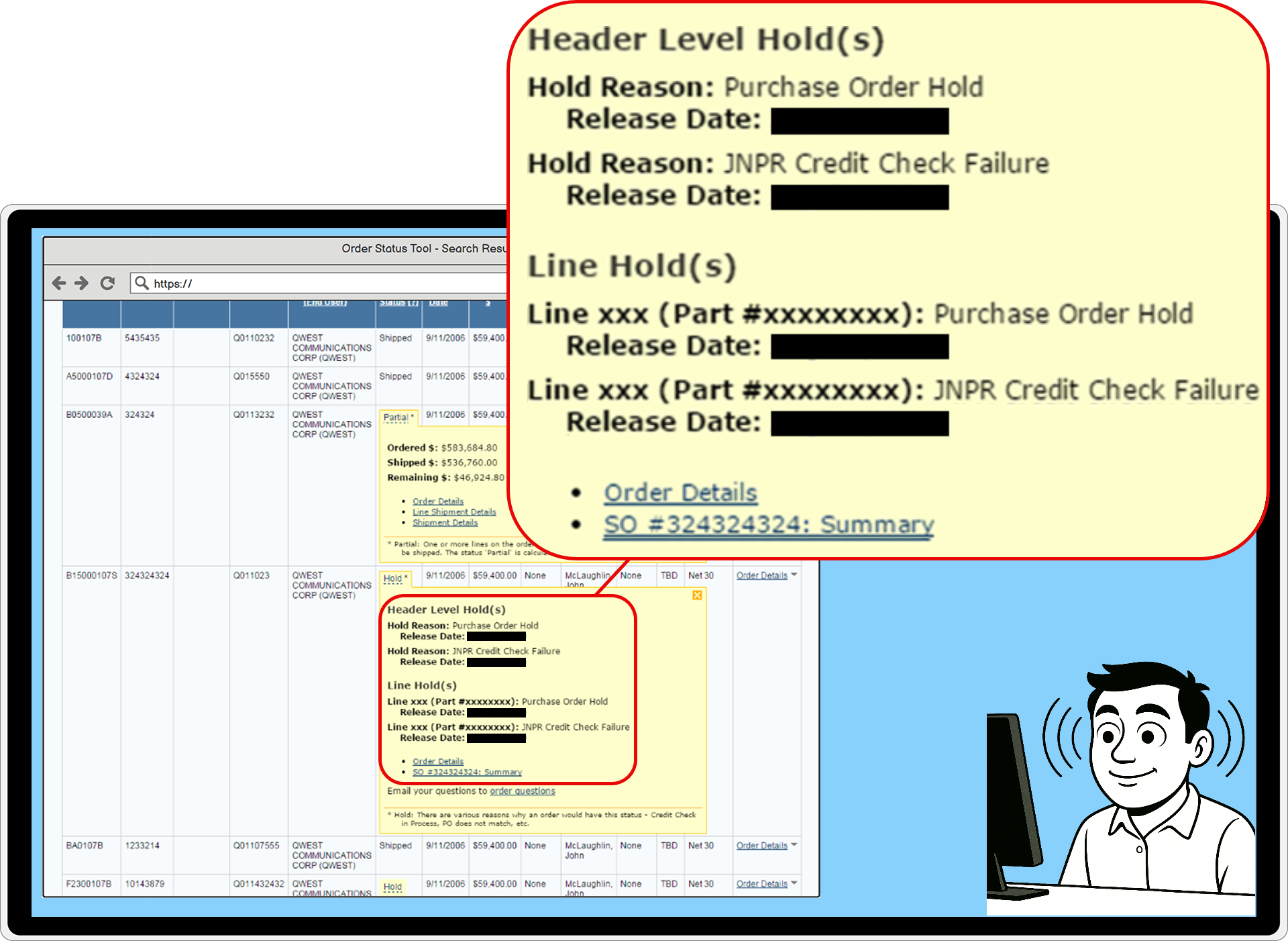
Optimized Workflow: App collects, compares, and delivers the relevant information to users.
COMPANY OVERVIEW
Juniper Networks was a global leader in the networking industry, providing routers, switches, management software, security products, & software-defined networking technology.


PRODUCT OVERVIEW
The Order Status Tool (OST) was a critical internal app used worldwide by Order Management, Sales, Finance, Customer Support, Manufacturing, external partners, and some customers to track and troubleshoot orders.
The Order Management team fielded everyone’s questions:
- How was an order doing?
- What has shipped?
- When will things ship?
- If anything is wrong, what’s wrong, and how can they clear it?
Existing Workflow: Too many windows

THE PROBLEM
Users faced visual searches of 32 windows per inquiry, frequent crashes, and access rationed to 1 hour per person per day


32 windows per inquiry: 4 orders × 8 pages each

Daily crashes: Broad queries overwhelmed back end

1-hour scheduled access per person per day: 12.5% availability (86% capacity loss)

Selective bold to bacon ipsum dolor amet ribeye mortadella bresaola alcatra cow fatback cupim beef.

Business costs: Stalled inquiries, limited customer support, frustrated users
IMPACT PREVIEW
Transforming the OST’s UX skyrocketed users’ productivity: 32 windows ➔ 1, 1 hour access ➔ all-day productivity, daily crashes ➔ zero
800%
System Availability
32 → 1
Windows
Faster
Task & Resolution Times
0
System Crashes
"...gives me just what I need"
User Testimonial
STRATEGIC DECISIONS
We set the stage for our success with three strategic decisions: early UX, leveraging time zone differences, and expanding my front-end skills.

Integrated UX early and throughout
- For requirements and strategy, not just design.

Leveraged time zones
- Asynchronous collaboration with Belarus team 10 time zones away accelerated feedback

Expanded my toolkit
- HTML/CSS/animation eliminated front-end bottleneck
DISCOVERY & RESEARCH
I conducted 5 qualitative studies, revealing users' unsustainable workarounds and the problems’ root causes.

OST Training & Heuristic Analysis

Watch 6 remote users work + Interview them

Diary study: 1 month, 6 remote users

Stakeholder Interviews: 1 PO, 1 Lead Engineer, & more
PRODUCT STRATEGY
Research revealed the path forward: shift from “users hunt for information” to “system delivers information proactively”

Transform the tool from visual search interface to intelligent assistant
Deliver information proactively in search results
Narrow default query to prevent crashes
Build logic into system to identify what users need
THE SOLUTION: WORKFLOW TRANSFORMATION
In the new workflow, users search once, information is delivered proactively, and most inquiries are answered in a single window

Critical information from one to multiple orders delivered and available for comparison, all within the context of the search results and all in a single window

INNOVATION: THE ZOOMBOX COMPONENT
The “zoombox” component delivered deep order details inline—eliminating 5-8 windows per order
Codified user judgment rules into system logic to deliver the right information. Pixel-perfect and motion design for zoombox and micro-interactions.

BUSINESS IMPACT
From crisis to productivity: 8x availability, zero crashes, and transformed user behavior
8x
System Availability
32 → 1
Windows
Faster
Task & Resolution Times
0
Crashes eliminated
Users use system at will
No more rationed access
USER IMPACT & VALIDATION
User feedback and behavior changes validated the transformation

"[The new design] gives me just what I need"
User feedback via email

System became "the tool we rely on" vs. "the tool we avoid"
LESSONS & SCALED IMPACT
Key lessons: Ask 'why,' invest in research early, and expand your toolkit strategically

What I Learned
- "Why did you schedule this time?" reframed the entire problem from UI improvement to system redesign design.
- Qualitative research let me reframe how stakeholders understood the problem
- Learning more HTML/CSS eliminated a bottleneck and ensured design quality

What I’d Do Differently
- Involve UX even earlier in project planning
- Advocate for research budget upfront to catch architectural constraints before Engineering commits

Scaled Impact
Design System Contributions
- Zoombox and other components adopted across other internal tools
- Abstract modeling added to standard playbook for complex redesigns
- Established precedent for research-driven UX at Juniper
Organizational Impact
- Demonstrated UX's strategic value from requirements gathering onward
- Changed how teams approach enterprise tool redesigns
FINAL SUMMARY
Deep UX research, systems thinking, focusing on users’ whys, and cross-functional collaboration enabled revolutionary transformation

"Our project was a success, and Edwin's expertise was invaluable. The application is still in use at Juniper [two years later], and is heralded as one of the most frequently used and relied-upon tools across Sales, Finance, Order Management, and Operations groups. I would highly recommend Edwin for any project!"

Product Owner, Deanna Walls
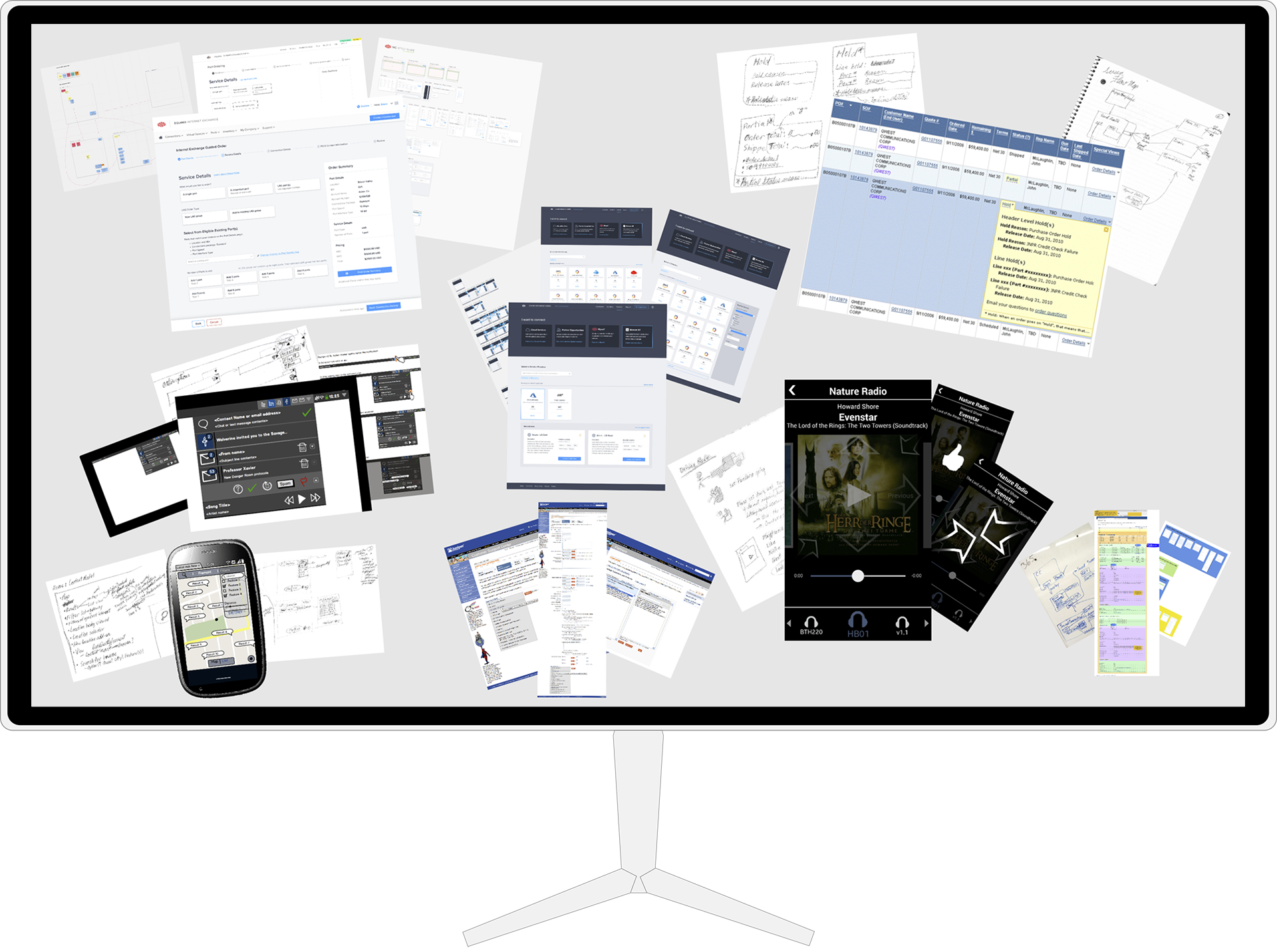
Selected Works